
Why Are My Meta Ads Leads So Poor Quality? 12 Reasons & How to Fix Them
A cheap lead is only cheap if someone eventually buys. Here is what is actually driving poor Meta Ads lead quality, and how to fix each cause.
By Nikhil Khachane · Performance marketing consultant, Pune · 12 min read
Quick answer: Meta Ads leads are usually poor quality because the campaign is set up to buy the cheapest form fill — broad targeting, a curiosity-led creative, a free-value offer, a two-tap instant form with no qualification, and optimisation against the “Lead” event. Qualify earlier in the funnel, measure cost per qualified lead instead of cost per lead, and send sales outcomes back to Meta.
A hundred leads a month feels like a working campaign. Then the sales team reports that sixty numbers did not connect, twenty people were just browsing, and the rest were outside the service area. This is one of the most common complaints I hear from Indian businesses running Facebook and Instagram lead campaigns.
The uncomfortable part is that poor-quality leads are rarely an accident. They are what the campaign was configured to buy. Every choice made to lower cost per lead — a wider audience, a softer offer, a shorter form — also lowers the intent of the person on the other side. Lead quality, qualified leads, sales and revenue matter; lead count does not.
Below are the twelve reasons this happens, how to identify each one in your own account, and what to change.
What is a poor-quality Meta Ads lead?
A poor-quality lead is a submission that can never become a customer, no matter how well your sales team handles it. It is not the same as a lost deal — a lost deal was at least a real opportunity.
- Fake or deliberately mistyped phone numbers
- Wrong numbers, or numbers that never connect
- People who say they are not interested when you call
- People outside the city or area you actually serve
- People with genuine curiosity but no buying intent
- Job seekers who thought the ad was a hiring post
- Competitors and agencies checking your offer
- Duplicate submissions from the same person
- People who do not remember filling any form
- People who only wanted the free download, price list or discount
Write your own version of this list, agree it with whoever makes the calls, and use it as the definition of “disqualified” in your CRM. Without a written definition, lead quality stays a matter of opinion and never gets measured.
12 reasons your Meta Ads leads are poor quality
Work through these in order. In most accounts I audit, the first five explain the majority of the problem.
1. Your audience targeting is too broad
Broad audiences give Meta the widest possible pool to find the cheapest form fill in. When the only signal you send is "get me leads", the cheapest leads usually come from the least interested people.
Example: A Pune interior design studio targets all adults aged 18-65 across Maharashtra. Leads arrive at ₹120 each, but most are college students, tenants, and people in cities the studio does not serve.
How to identify it: Break your lead report down by age, city and placement. If one cheap segment produces most of the volume and almost none of the qualified leads, targeting is the problem.
Fix: Narrow location to areas you can actually service, drop age bands that never buy, and build a lookalike from your paying customer list rather than interest stacks. Expect volume to drop and quality to rise.
2. Your ad creative attracts the wrong people
The creative decides who stops scrolling. A creative built for maximum attention pulls in a wide, low-intent crowd; a creative built for the buyer repels everyone else, which is exactly what you want.
Example: A gym runs a video of a giveaway-style "free trial week" with upbeat music. It gets huge engagement and cheap leads — mostly from people who wanted a free week, not a membership.
How to identify it: Compare qualified lead rate per creative, not CPL per creative. Your cheapest creative is often your worst.
Fix: Show the actual product, service, price band or outcome in the creative. Use real photos of your work, your team or your space. Let the creative pre-qualify by making it obvious who this is for.
3. Your offer attracts low-intent users
Free guides, giveaways, spin-the-wheel discounts and "limited seats" freebies convert brilliantly and qualify nobody. The offer determines the motivation behind every submission.
Example: A coaching institute offers a "free e-book on exam preparation". Thousands of downloads, almost no admissions — the e-book seekers were never in the market for a paid course.
How to identify it: Ask what someone gets by submitting. If the reward is valuable on its own and requires no commitment, expect low intent.
Fix: Move the offer closer to the purchase: a site visit, a paid trial, a demo, a quote for their specific requirement, or a consultation with a stated agenda. Fewer people will apply, and the ones who do will be worth calling.
4. Your ad copy does not qualify users
Ad copy that only sells the upside — "best prices", "trusted by thousands" — invites everyone. Copy that states conditions filters at the cheapest possible point, before the click.
Example: A real estate ad says "luxury 3BHK flats in Pune, book now" with no price. Leads come from people whose budget is a third of the ticket size.
How to identify it: Read your ad as a stranger. If nothing in it would make an unsuitable person skip it, the copy is not qualifying.
Fix: Add the disqualifying detail: a starting price, minimum order value, service area, eligibility, or who the offer is not for. This is the single cheapest lead quality fix available.
5. Your instant form asks for too little information
Meta pre-fills name, phone and email. A three-field form can be submitted in two taps while scrolling, with no thought at all — sometimes accidentally.
Example: A solar installer's form asks only for name and phone. Half the leads have never heard of the company by the time the call happens.
How to identify it: If a meaningful share of leads say they do not remember submitting anything, the form is too frictionless.
Fix: Add two or three custom questions and switch the form to the higher-intent version, which adds a review step before submission. Volume will fall; contactability and intent usually rise.
6. You are optimising for leads instead of qualified leads
Meta optimises for exactly the event you send it. If the only event it ever receives is "Lead", it will keep buying form fills forever, getting better at finding people who fill forms and never buy.
Example: An account has run for eight months on the Lead event. CPL has improved 40%; sales have not moved at all. The algorithm did its job — it was pointed at the wrong outcome.
How to identify it: Check which events your campaign optimises for. If "Qualified Lead" or "Purchase" never reaches Meta, this applies to you.
Fix: Send a down-funnel event back to Meta through the Conversions API or offline event uploads once a lead is qualified or closed. Start with a weekly upload if a live integration is not realistic yet.
7. Your audience does not match your ideal customer
Interest targeting reflects what people engage with, not what they can afford or are ready to buy. An audience can look perfect on paper and share almost nothing with your actual buyers.
Example: A B2B software company targets "small business owners" interest. It reaches lots of aspiring founders and freelancers, not the operations managers who sign off on the purchase.
How to identify it: Write down the last ten customers you actually closed. Compare them to who your ads are reaching. Gaps here are targeting gaps.
Fix: Upload your customer list as a custom audience and build lookalikes from it. Retarget website visitors and video viewers who showed real engagement instead of guessing at interests.
8. Your campaign objective or setup is not aligned with your business goal
An objective chosen for cheap results will deliver cheap results. Engagement, traffic and reach objectives fill your CRM with people the system never selected for buying anything.
Example: A clinic runs a traffic campaign because clicks looked affordable, then wonders why the enquiries that trickle through the website form are unusable.
How to identify it: Match the objective to the business outcome. If the business goal is enquiries that convert, an engagement objective is a mismatch.
Fix: Use the leads or sales objective with the most down-funnel event you can reliably measure, and let the bidding strategy chase value rather than the lowest possible cost.
9. Your creative creates curiosity instead of purchase intent
Hooks like "you won't believe this price" or "most people get this wrong" earn attention from everyone. Curiosity clicks are cheap and rarely commercial.
Example: A furniture brand's best-performing ad is a mystery-style reveal video. It has the lowest CPL in the account and the lowest sales rate.
How to identify it: Sort creatives by lead-to-sale rate. Curiosity creatives usually sit at the bottom despite winning on CPL.
Fix: Lead with the specific offer, product and price context. Curiosity can open the ad, but the ad must resolve into a concrete commercial proposition before the call to action.
10. You are not using retargeting correctly
Asking cold audiences for their details on the first impression produces the lowest-intent leads you can buy. Warm audiences already know who you are and why the price is what it is.
Example: An education brand runs one cold lead campaign and nothing else. Everyone who watched 75% of their explainer video, but did not enquire, is never contacted again.
How to identify it: Check whether you have any active audience of video viewers, page engagers, or website visitors. If not, every lead you buy is cold.
Fix: Run a warm layer: retarget video viewers, form openers who did not submit, and website visitors with a more direct offer. Lead quality from these audiences is usually noticeably better at a higher CPL.
11. Your sales team is not following up quickly enough
A lead that felt genuine at the moment of submission may not feel that way six hours later. Slow follow-up makes good leads look like bad leads in your report.
Example: Leads arrive through the day and are called the next morning in a batch. Most do not pick up; the ones who do have already spoken to two competitors.
How to identify it: Submit a test lead yourself during business hours and time the callback. Then compare contact rate for leads called within minutes against those called the next day.
Fix: Aim to make first contact within minutes during business hours, with an automated WhatsApp or SMS acknowledgement the moment a form is submitted. This is general best practice, not a guarantee — but it is usually the fastest quality gain available.
12. You are optimising for CPL instead of actual business results
CPL is the easiest number to improve and the easiest to improve in the wrong direction. Every decision made to reduce CPL — broader audiences, softer offers, shorter forms — tends to reduce quality at the same time.
Example: A month of optimisation halves CPL from ₹400 to ₹200. Qualified leads per month stay flat, so cost per qualified lead is unchanged and the sales team is doing twice the work.
How to identify it: Track cost per qualified lead alongside CPL. When CPL falls and CPQL does not, the improvement is cosmetic.
Fix: Make CPQL and cost per customer the headline numbers in your reporting. Let CPL rise if the qualified leads and sales rise with it.
If your leads are genuinely qualified but still not closing, the problem has moved further down the funnel — that is covered in why Meta Ads generate leads but no sales. For the economics behind all of this — what a bad lead really costs a business — see why cheap leads can be more expensive than expensive leads.
Cheap CPL does not always mean good leads
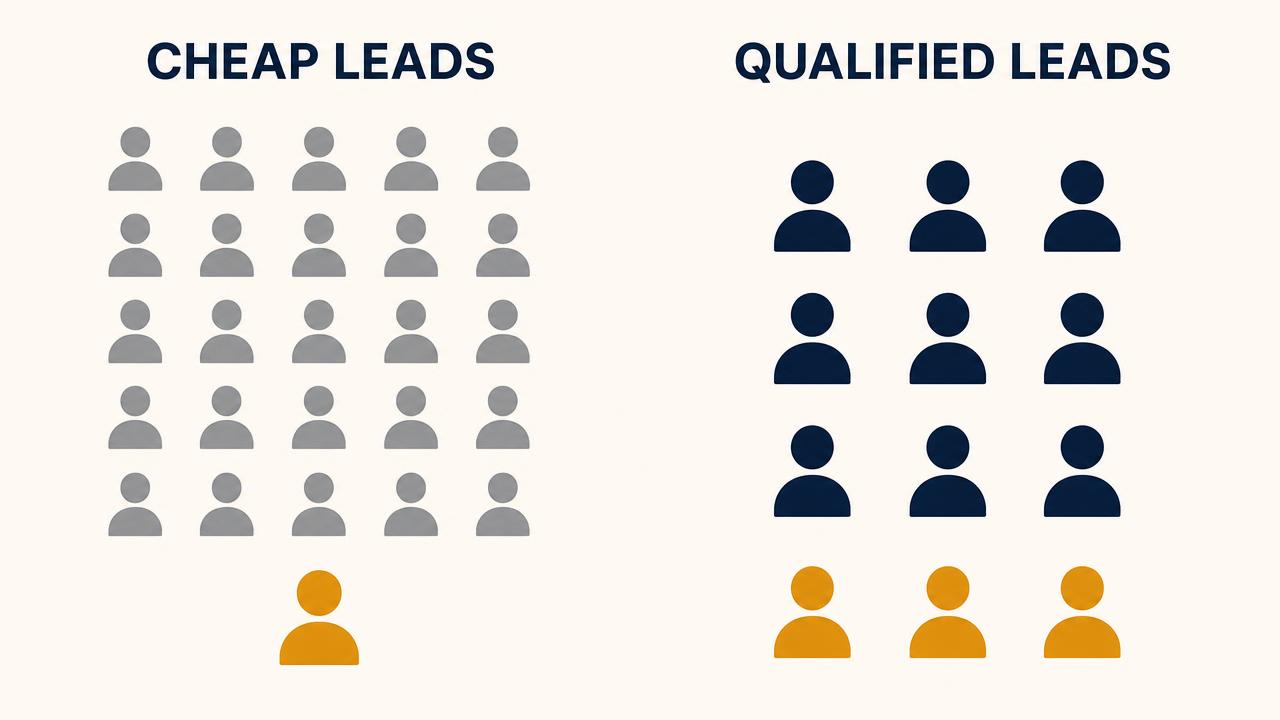
Two campaigns spend the same ₹20,000. One looks twice as efficient on the dashboard. The other is the one you should scale.
| Metric | Campaign A | Campaign B |
|---|---|---|
| Leads | 100 | 50 |
| Cost per lead | ₹200 | ₹400 |
| Total ad spend | ₹20,000 | ₹20,000 |
| Qualified leads | 8 | 20 |
| Qualified lead rate | 8% | 40% |
| Cost per qualified lead | ₹2,500 | ₹1,000 |
| Sales | 2 | 6 |
| Cost per customer | ₹10,000 | ₹3,333 |
Campaign A wins on the only number most dashboards show. Campaign B produces two and a half times the qualified leads, three times the sales, and a cost per customer of ₹3,333 against ₹10,000 — from identical spend. Campaign A also costs your sales team roughly a hundred phone calls to find two buyers.
This is why a low CPL should never be reported on its own. It measures how cheaply people submitted a form, not how likely they are to pay you.
What is cost per qualified lead (CPQL)?
Cost per qualified lead is what you actually pay for a lead worth your sales team’s time. It is the simplest way to make lead quality a number instead of an argument.
CPQL = Total Ad Spend ÷ Qualified Leads
Example 1 — a local service business
A Pune home services business spends ₹30,000 in a month and gets 150 leads, so CPL is ₹200. After calling them, 30 meet the definition of qualified: right area, real need, budget in range. CPQL is ₹30,000 ÷ 30 = ₹1,000. The business is paying ₹1,000 per usable enquiry, not ₹200.
Example 2 — the same budget, a tighter campaign
The next month the same business narrows targeting, states a starting price in the ad, and adds two qualification questions to the form. Spend stays at ₹30,000. Leads drop to 75, so CPL doubles to ₹400. But 45 of them qualify, so CPQL falls to ₹30,000 ÷ 45 = ₹667. CPL got worse; the business got better.
CPQL is the pivot metric, but it should not be read alone. Track CPL, qualified lead rate, CPQL, lead-to-sale rate, customer acquisition cost, revenue and ROAS together — the full chain is laid out in how Indian businesses should measure performance marketing.
How to improve Meta Ads lead quality
Lead quality is not a setting; it is the output of eight stages. Check them in this order, because a fix late in the chain cannot repair a problem early in it.
Targeting → Creative → Offer → Lead Form → Qualification → CRM → Sales Follow-up → Optimisation
Targeting
Is the location, age band and audience source a match for people who actually buy? Are lookalikes built from customers, not leads?
Creative
Does the creative show the real product, service or outcome, and make it obvious who this is for?
Offer
Does the offer require a small commitment, or is it a free item anyone would take?
Lead form
Higher-intent form, custom questions, no unnecessary fields, clear description of what happens next.
Qualification
Is there a written definition of a qualified lead, and does someone apply it to every lead within a day?
CRM
Do all leads reach the CRM within minutes, deduplicated, with the campaign and creative recorded against them?
Sales follow-up
Is there an owner, a response-time target, and a documented follow-up cadence over the next 7-14 days?
Optimisation
Are qualified leads and sales reported back into Meta, and are decisions made on CPQL rather than CPL?
Stages six and eight both depend on measurement you may not have yet. If leads are not reaching your CRM reliably, or Meta never learns which leads converted, start with conversion tracking setup before changing budgets. For the campaign-level playbook behind stages one to four, see Meta Ads lead generation in India.
How to improve Meta Ads instant lead forms
The instant form is where lead quality is won or lost most cheaply. A few changes here usually outperform weeks of audience testing.
- Use the higher-intent form type. It adds a review step before submission, which removes most accidental and careless entries.
- Add two or three custom questions. More than that and you lose serious buyers too; fewer and you filter nobody.
- Ask about budget in ranges. Multiple choice, not an open field — people answer ranges honestly and skip open questions.
- Ask about timeline. “This month” versus “just researching” changes how the lead should be handled.
- Ask about location. The cheapest way to remove leads you cannot serve.
- Remove fields you never use. Every unused field costs you a real lead and buys you nothing.
- Set expectations in the description. Say who will call, when, and what will be discussed.
Good qualification questions to start from
- What is your approximate budget for this? (ranges, not an open field)
- When are you looking to start or purchase? (this month / 1-3 months / just researching)
- Which area or city are you located in?
- What is the size or scope of the requirement? (e.g. flat size, team size, order quantity)
- Are you the person who will make the final decision?
- Please re-enter your mobile number for confirmation.
How to stop fake or junk leads from Meta Ads
Some junk is unavoidable on any platform. Most of it is preventable with a short troubleshooting sequence.
- 01Switch the instant form to the higher-intent option so users review their details before submitting.
- 02Ask people to retype their phone number instead of accepting Meta's pre-filled value.
- 03Add a location or eligibility question and disqualify answers outside your service area.
- 04Check placement-level reporting and exclude placements that produce mostly uncontactable leads.
- 05Deduplicate on phone number in your CRM before the lead reaches the sales team.
- 06Tighten geo-targeting to specific cities or radii rather than whole states.
- 07Build a custom audience of junk submitters and exclude it from future campaigns.
- 08Feed qualified-lead events back to Meta so the algorithm stops looking for people like the junk ones.
Track how many leads you disqualify as fake each week. If that share is not falling after these changes, the issue is more likely to be the offer or the creative than the form itself.
How fast should you follow up with a Meta Ads lead?
As fast as you realistically can, and ideally within minutes during business hours. Someone who filled a form mid-scroll has not committed to anything yet; the interest fades quickly and competitors are one tap away.
Fast follow-up is widely treated as best practice in lead generation, and in accounts I work on it is usually one of the biggest single improvements available. It is not a guarantee — a fast call to an unqualified lead still goes nowhere. Speed multiplies lead quality; it does not replace it.
Practical version for a small team:
- Send an automated WhatsApp or SMS acknowledgement the moment the form is submitted.
- Give one named person responsibility for calling new leads during business hours.
- Agree a target — for example, first call attempt within 15 minutes.
- Define a cadence: three call attempts across the first two days, then weekly for a fortnight.
- Record the outcome of every lead so qualified lead rate can actually be measured.
What metrics should you track instead of CPL?
Keep CPL — just stop making decisions on it alone. These seven together tell you whether the campaign is working as a business activity.
| Metric | What it tells you | Why it matters |
|---|---|---|
| CPL | Ad spend ÷ total leads | Useful for spotting sudden cost changes, but says nothing about quality. |
| Qualified lead rate | Qualified leads ÷ total leads | The clearest single measure of whether your targeting, offer and form are working. |
| CPQL | Ad spend ÷ qualified leads | The real acquisition cost of a lead worth your sales team's time. |
| Lead-to-sale rate | Customers ÷ total leads | Shows whether the problem is lead quality or the sales process. |
| CAC | Total acquisition cost ÷ new customers | Tells you whether the campaign is economically viable at all. |
| Revenue | Revenue attributed to ad-sourced customers | Connects the ad account to the business outcome. |
| ROAS | Revenue ÷ ad spend | A directional profitability check — read it alongside your margins. |
The same discipline applies on the search side — if you run both platforms, the parallel argument for Google is in optimising Google Ads for revenue, not leads, and the full build sequence is in the guide to building a profitable performance marketing funnel.
Meta Ads lead quality checklist
Run this against your account before you change a single budget.
- Target audience matches the people who actually buy
- Location targeting matches the area you can serve
- Creative shows the real product, service or outcome
- Offer requires a genuine commitment, not just curiosity
- Ad copy states price band, eligibility or who it is for
- Lead form uses the higher-intent option
- Two or three qualification questions in the form
- Duplicate leads removed before they reach sales
- Fake and uncontactable leads tracked and excluded
- All leads land in the CRM within minutes
- Sales follow-up owner and response-time target defined
- Qualified lead rate measured every week
- CPQL reported alongside CPL
- Sales from ad-sourced leads recorded
- Revenue and ROAS reviewed monthly against margins
Not sure why your Meta Ads leads are poor quality?
I’ll go through your targeting, creative, offer, lead form and tracking and tell you where the quality is being lost — no pitch, no obligation. I work directly with startups, e-commerce brands and local businesses across India.
Get a Free 10-Minute Paid Ads AuditLead quality also depends on the platform you chose, the intent behind the click and your qualification process — see how Google Ads and Meta Ads compare on lead quality.
Frequently asked questions
Usually because the campaign is optimised for the cheapest lead rather than the right lead. Broad targeting, a curiosity-led creative, a vague offer, and a two-tap instant form with no qualification questions together attract people with no buying intent. Tighten targeting, qualify in the ad copy and form, and feed sales outcomes back into Meta.
The point of Meta Ads is not more leads
The goal of a Meta Ads campaign is not to generate more leads. It is to generate more qualified leads that turn into customers and revenue. Once you accept that, the fixes become obvious: narrow the audience, make the offer commercial, qualify in the ad and in the form, get leads to a human quickly, and tell Meta which ones were worth having.
If you want the same thinking applied end to end, the Meta Ads consulting page covers how I work on campaigns, and Google Ads lead generation covers the search side of the same problem.
Related articles
Meta Ads Leads but No Sales
Low-intent lead forms, slow follow-up, broken CRM handoffs and "Lead"-only tracking — the 15 reasons Meta Ads leads never become customers, with a fix for each.
Meta Ads Lead Generation in India
Why a cheap cost per lead can hide an unprofitable campaign, and how Indian businesses can optimise Meta Ads for qualified leads, customers and revenue.
Want this done for your account?
I run these campaigns for startups, e-commerce brands and local businesses from Pune — across India and the GCC.
Google Ads consultant in Pune
Search, Shopping and PMax managed for qualified leads.
Meta Ads consultant in Pune
Facebook and Instagram campaigns built around offer and creative.
Performance marketing consultant in Pune
Strategy, execution and measurement under one owner.
Google Ads lead generation
Lower cost per qualified lead, not just cheaper clicks.
Conversion tracking consultant in Pune
GA4, GTM, Meta CAPI and offline conversion imports.