
Google Ads for Local Businesses in India: How to Get More Leads Without Wasting Your Budget
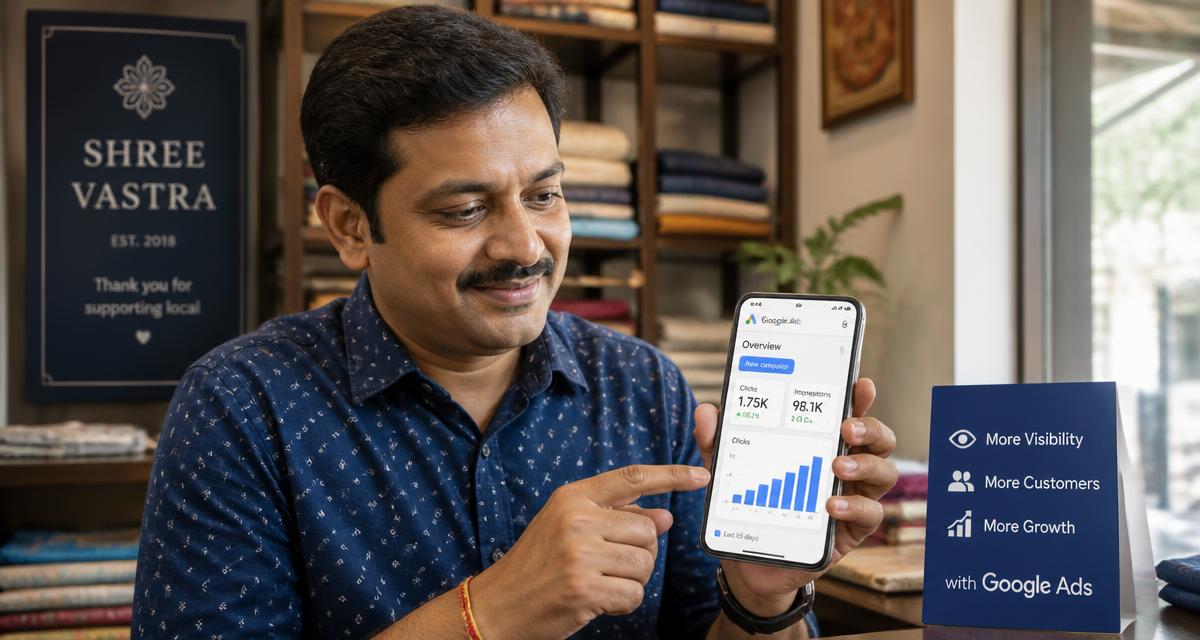
Quick answer: how should a local business use Google Ads in India?
A local business should target only the areas it actually serves, bid on high-intent searches rather than broad category terms, write ads that match what the customer asked for, send every click to a page built around that need, track calls and enquiries from day one, and optimise on qualified conversions instead of clicks.
In practice that means tight geo-targeting (city, locality, pin code or a radius around your shop), long-tail and Hinglish keywords in phrase or exact match, call and location assets switched on, and a negative keyword list maintained weekly. Skipping conversion tracking or negative keywords is the single biggest reason local budgets get wasted.
Why Google Ads works for local businesses in India
Google is where most Indian buying decisions start. Every day people search “AC repair near me”, “best dentist in Andheri” or “packers and movers in Hyderabad”, and a large share of those searches carry local intent. Someone typing “electrician near me” isn't browsing. They're ready to call.
For a clinic, salon, coaching centre, real estate agent, restaurant or home services provider, this is the biggest advantage Google Ads has over every other channel: it puts your business in front of someone at the exact moment they want to buy, call or visit. This is exactly the work I do as a Google Ads consultant in Pune for service businesses across India. Where demand has to be created rather than captured, Meta Ads usually carries that half of the job.
The catch: it is easy to spend money on Google Ads without getting a single genuine lead. In most accounts I audit, a large part of the spend goes to searches that were never going to convert — not because Google Ads doesn't work, but because of a handful of avoidable setup mistakes.
How to advertise on Google in India
A business in India can advertise on Google by creating a Google Ads account, choosing the locations and searches it wants to appear for, writing ads that match those searches, setting a budget it can sustain, and tracking the calls, enquiries or orders that result. The advertising itself is the easy part — the money is made or lost in targeting, intent and measurement.
Here is the sequence I follow when setting up a local account from scratch:
- 1
Define your target customer and service area
Write down who you serve and how far you can realistically travel or deliver. A dentist in Pune serving patients within 8 km has a very different campaign to a coaching institute enrolling students from across Maharashtra.
- 2
Choose the right campaign type
For most local businesses, Search campaigns come first: you show up when someone is already looking for what you sell. Add other campaign types later, once conversion tracking is producing reliable data.
- 3
Select the cities and areas you want to appear in
Add only the cities, localities or radius you serve, and set targeting to people in or regularly in those places rather than people merely showing interest in them.
- 4
Research high-intent keywords
Prioritise searches that signal a decision — “dentist near me”, “AC repair in Kothrud”, “CA for GST filing Pune” — over broad research terms. Google Keyword Planner gives you India-specific volume and cost estimates.
- 5
Write ads that match the search
The headline should repeat the customer's need and your area, and the description should carry your specific offer, timing or differentiator. Add call, location and sitelink assets so people can act straight from the ad.
- 6
Add negative keywords before you launch
Block “free”, “jobs”, “course”, “salary”, “internship” and any service you don't offer. Then review the search terms report weekly and keep adding.
- 7
Send clicks to a relevant landing page
The page should answer the exact search, show your phone number and WhatsApp button without scrolling, and load fast on mobile — where most Indian traffic comes from.
- 8
Set up conversion tracking
Track calls, form submissions, WhatsApp clicks and bookings before spending money. Without this you are optimising on clicks, which tells you nothing about customers.
- 9
Start with a controlled budget
Begin with an amount you can sustain for two to three months, on a small keyword set in one area. Widen only after you can see which searches produce enquiries.
- 10
Optimise on qualified conversions, not clicks
Feed lead quality back into the account — which enquiries turned into appointments, site visits or orders — and shift budget towards the keywords and locations producing them.
Example: a dentist in Pune does not need to advertise across India. A campaign targeting the localities the clinic actually draws patients from, built on searches like “root canal treatment in Baner” and pointing at a page about that treatment with a visible phone number, will almost always beat a broader, bigger-budget setup.
Local Ads in India: How to Reach Nearby Customers
Local ads in India work best when three things line up: the searches you bid on show local buying intent, your location targeting covers only the areas you actually serve, and you measure what happens after the click — calls, enquiries and real sales, not just traffic.
How Search campaigns reach local customers
Google Ads for local businesses usually starts with a Search campaign. Your ad can appear when someone searches for a product or service you offer — “physiotherapist in Kothrud”, “AC service near me”, “IELTS coaching Nashik” — and is located in, or showing interest in, the area you target. Because the person has already described their need, Search is usually the most direct way to turn local demand into enquiries.
Location targeting and location-specific keywords
Location targeting decides where your ads can show; keywords decide which searches trigger them. Local search campaigns in India use both together: target a city, locality, pin code or radius, and add keywords that include the area (“dentist in Baner”) alongside “near me” and plain service terms. In location settings, prefer targeting people who are in or regularly in your locations, so you don't pay for people who are only reading about the area from elsewhere.
Choosing service areas without wasting budget
Start with the areas your existing customers actually come from and where you can deliver or travel profitably. Exclude locations you can't serve, review spend by location every few weeks, and cut or separate areas that bring clicks but no qualified enquiries. A home services business covering one side of a city should not be paying for clicks from the other side.
Measuring calls, forms, qualified leads and sales
Track calls from ads, calls from the website, form submissions and WhatsApp clicks as conversions. Then go one step further: mark which enquiries were genuine and which became paying customers, so you can judge campaigns on cost per qualified lead and revenue rather than cost per click. This guide explains how to measure performance marketing from ad click to revenue.
Google Ads vs Google Business Profile
They are different things. Google Ads is paid advertising: you pay for clicks or calls and control targeting, budget and ads. A Google Business Profile is a free listing that can appear organically in Google Maps and local results, based on factors such as relevance, distance and prominence. Ads can't buy organic ranking, and a profile doesn't replace ads. Most local businesses benefit from a complete, accurate profile with genuine reviews, plus ads for the high-intent searches they want to win consistently.
Local ads checklist: goal, action, metric
| Business goal | Recommended action | Metric to monitor |
|---|---|---|
| More patient calls for a clinic | Search campaign on treatment + locality keywords, call assets on, ads scheduled to clinic hours | Calls from ads, call duration, booked appointments |
| Admission enquiries for a coaching class | Target the localities students travel from; send clicks to a course-specific page with a short form | Form submissions, qualified enquiries, admissions |
| Cover a home-services area profitably | Radius or pin-code targeting around serviceable areas; exclude areas you can't reach | Cost per qualified lead by location |
| More showroom or store visits | Location assets linked to your Business Profile, “near me” and area keywords | Direction clicks, calls, walk-ins recorded by staff |
| Keep spend under control | Fixed daily budget, phrase/exact match, weekly negative keyword review | Search terms report, spend on irrelevant searches |
| Better lead quality, not just volume | Mark leads as qualified or sold in your CRM/sheet and import those outcomes | Qualified-lead rate, cost per sale, revenue |
Top location-based advertising strategies for Indian businesses
Location is the single biggest lever a local advertiser controls. These are the strategies worth knowing, and the mistake each one usually invites.
City-level targeting
What it is: Showing ads to everyone inside a city such as Pune, Hyderabad or Delhi NCR.
When to use it: Useful when you serve the whole city or deliver anywhere within it.
Mistake to avoid: Avoid using it when your customers realistically travel only a few kilometres — you pay for clicks you can never serve.
Radius targeting
What it is: Drawing a circle of a chosen distance around your shop, clinic or office.
When to use it: Best for walk-in and on-site service businesses — salons, clinics, repair services, gyms.
Mistake to avoid: Avoid setting the radius by hope rather than reality. Start close to your actual service range and widen only if enquiries justify it.
Locality and pin-code targeting
What it is: Selecting specific neighbourhoods or pin codes instead of whole cities.
When to use it: Useful in large metros where one suburb behaves nothing like another, and for businesses with several branches.
Mistake to avoid: Avoid slicing so finely that no single area gets enough traffic to learn from.
Location-specific ad copy
What it is: Naming the area in the headline or description so the ad matches the searcher's mental map.
When to use it: Useful for “in <area>” and “near me” searches, where relevance drives click-through.
Mistake to avoid: Avoid inserting a location you don't actually serve just to earn the click.
Location-specific landing pages
What it is: A page built around one area's service, directions, timings and contact options.
When to use it: Worth doing when a branch or area has enough volume to justify the page.
Mistake to avoid: Avoid mass-producing near-identical city pages — thin duplicate pages help nobody and can hurt the site.
“Near me” and high-intent local search
What it is: Capturing searches where the person is looking to act now, usually on mobile.
When to use it: Almost always worth prioritising for service and retail businesses.
Mistake to avoid: Avoid trying to bid on “near me” as a keyword — Google infers proximity from the user's location, so your location targeting and location assets do the work.
Excluding irrelevant areas
What it is: Removing places that generate spend but no usable enquiries.
When to use it: Review after the first few weeks of data, then monthly.
Mistake to avoid: Avoid excluding an area on a handful of clicks — wait for enough data to be meaningful.
Separate campaigns per city
What it is: Splitting cities into their own campaigns so each has its own budget and bidding.
When to use it: Do this once each city produces steady conversions and you want to control spend independently.
Mistake to avoid: Avoid splitting too early — thin campaigns starve each other of data.
Call-focused campaigns
What it is: Structuring campaigns and assets around phone enquiries rather than form fills.
When to use it: Ideal where customers prefer to ring — clinics, home services, repairs, local professionals.
Mistake to avoid: Avoid counting every call as a lead. Track call duration and outcome so short or wrong-number calls don't inflate results.
Google Business Profile alongside ads
What it is: Keeping your profile accurate so location assets, directions and reviews support the ad.
When to use it: Useful for any business with a physical address or defined service area.
Mistake to avoid: Avoid letting hours, address or phone number drift out of date — it wastes paid clicks.
Measuring performance by location
What it is: Reading the location reports to see cost, conversions and lead quality area by area.
When to use it: Do it monthly, and before every budget increase.
Mistake to avoid: Avoid judging locations on clicks or cost per lead alone; check which areas actually produce customers.
How local search campaigns work for Indian businesses
A local search campaign simply means using paid search to reach people who are looking for something near them. The mechanics come down to three inputs: the locations you target, the searches you bid on, and the actions you count as success.
- Location: you choose the cities, localities or radius you serve, and Google matches people who are in or regularly in those places.
- Intent: you bid on searches that show someone is ready to act — a service plus an area, an urgent problem, a specific product.
- Actions: the useful outcomes are calls, direction requests, WhatsApp messages, form submissions and bookings, each tracked as a separate conversion so you can see which ones your ads are actually producing.
Google's campaign types and asset names change over time, so build around this intent logic rather than around a product name. If your targeting, keywords and conversion tracking are right, the campaign format is a much smaller decision than it looks.
The 7 most common ways local businesses waste their Google Ads budget
- 1
Using broad match keywords with no control
A salon bidding on “hair services” in broad match pays for clicks from people searching “hair services course” or “hair services jobs”. Fix: start every local campaign in phrase or exact match, and move to broad match only after you have real conversion data.
- 2
No conversion tracking
Without tracking calls, WhatsApp clicks, form fills or bookings you have no idea which keywords bring customers. Fix: set up call tracking, website conversion tracking and offline conversion imports before you launch — not after.
- 3
Targeting the whole city (or all of India)
A plumber in Pune or a coaching institute in Lucknow does not need impressions from the entire state. Fix: use radius targeting around your shop, or select the specific pin codes and localities you actually serve.
- 4
Sending every click to your homepage
If the ad promises “same-day AC repair” but the click lands on a generic homepage with no phone number above the fold, visitors bounce. Fix: match the landing page to the ad — same offer, visible phone/WhatsApp button, one clear call to action.
- 5
No negative keywords
Without a negative list your paid-service ad shows for “free”, “jobs”, “course” and “DIY” searches. Fix: review the Search Terms report weekly and add negatives continuously.
- 6
Running ads without ad extensions
Ads without call, location or sitelink assets are smaller and less clickable. Fix: switch on Call, Location and Sitelink assets from day one — they are free and lift click-through rate.
- 7
Cutting the budget before the learning phase ends
Automated bidding needs a steady flow of conversions before it can optimise reliably. Fix: commit to a 60–90 day test window before making major budget decisions.
How to get more leads from Google Ads without wasting your budget
Step 1: Do local keyword research the right way
Don't bid on “digital marketing” or “salon services”. Think long-tail, local and Hinglish — the way customers actually search: salon in Koramangala, salon near me, best salon in Koramangala, bridal makeup artist near me under 5000. Use Google Keyword Planner to check India-specific volume, cost and competition, and test regional-language keywords — vernacular clicks are often cheaper than English ones.
Step 2: Structure campaigns around one goal each
Local business goals fall into three buckets: phone calls, form fills or store visits. Pick one primary goal per campaign instead of optimising for everything at once.
Step 3: Set a realistic, India-specific budget
There is no universal number. Click costs and sensible budgets vary by city, industry, competition, season and how well your account is built. Use this as a rough sense of where your category tends to sit, then set your own budget from your actual cost per qualified enquiry.
| Business type | What to expect |
|---|---|
| Local services (electrician, salon, repair) | Usually among the lowest click costs; small budgets can work if the area is tight |
| Clinics / healthcare | Mid-range click costs; lead quality matters more than volume |
| Real estate / legal | Among the most expensive clicks; needs a larger test budget and strict qualification |
| Coaching / education | Highly seasonal; costs rise sharply around admission cycles |
Step 4: Turn on every relevant ad asset
Call assets show your number inside the ad, location assets show your address and map link (link your Google Business Profile), and sitelinks deep-link to pricing, services or contact pages.
Step 5: Build (or fix) a landing page that converts
Headline that matches the ad's promise, phone number and WhatsApp button visible without scrolling, one clear call to action (Call Now / Book Now / Get a Quote), and a fast mobile load time — most Indian users are on mobile.
Step 6: Track every conversion from day one
Set up Google Ads conversion tracking for calls, form submissions and WhatsApp clicks. Connect it to your CRM so you know not just who clicked, but who became a paying customer — the full chain is explained in this guide to measuring performance from ad clicks to revenue.
Step 7: Review weekly, audit monthly
Weekly: search terms report, negative keywords, spend pacing. Monthly: Quality Score, ad assets, landing page performance and location reports. Quarterly: full strategy review — what to scale, what to pause.
Google Search Ads vs Performance Max for local businesses
| Search Ads | Performance Max | |
|---|---|---|
| Best for | Businesses that want full control over keywords | Businesses that want Google to automate across its networks |
| Control | High | Low |
| Setup time | Longer | Faster |
| Good starting point? | Yes, especially with a smaller budget | Better once you have conversion data to feed the algorithm |
For most local businesses starting out, Search Ads with tight geo-targeting is the safer first step. Automated campaign types work best once reliable conversion tracking is already feeding the system.
Leads vs revenue: what you should actually optimise for
More clicks does not mean more leads. More leads does not mean more customers. And more customers does not automatically mean more profit. A campaign producing fifty cheap enquiries a month can easily be worth less than one producing twelve enquiries that actually close, once you account for the time your team spends chasing the wrong people.
That is why the right end goal is profitable customer acquisition, not cost per lead. Once your local campaigns are running steadily, the next step is to optimize Google Ads for revenue, not leads by sending closed-business data back into the account, so bidding learns from customers rather than form fills.
This matters even more as Google shifts Search toward AI-driven matching. If you are considering the newer automation settings, read Google Ads AI Max in 2026 before switching anything on. To check an existing account for leaks, work through the 50-point Google Ads audit checklist.
For the larger change in how customers ask questions and how campaigns use intent, landing pages and sales data, read what AI Search means for Indian Google Ads advertisers in 2026.
If you are still deciding whether search is the right starting point at all, the choice comes down to customer intent and whether demand already exists — compared side by side in Google Ads vs Meta Ads for lead generation.
Frequently asked questions about Google Ads for local businesses in India
How much does Google Ads cost for a local business in India?
There is no fixed figure. What you pay per click depends on your city, industry, competition, keyword intent and ad relevance — a neighbourhood service keyword can cost a few rupees while real estate or legal terms cost far more. Set a monthly budget you can sustain for two to three months on a narrow keyword set, measure cost per qualified enquiry, and scale from there rather than guessing an amount upfront.
Is Google Ads worth it for small businesses in India?
It is worth it when people are already searching for what you sell and you can handle the enquiries that come in. Google Ads captures existing demand, so it suits clinics, home services, coaching institutes, local professionals and retailers with clear search volume. It is a poor fit if nobody searches your category, or if enquiries go unanswered — the ads will simply expose that gap faster.
How should I target a city in Google Ads?
Add the city under location targeting and set the targeting option to people in or regularly in that location, so you are not paying for people elsewhere who merely searched about it. Mention the city in your ad copy where it fits naturally, and check the location report after a few weeks to see which parts of the city produce enquiries.
Can I target a specific locality with Google Ads?
Yes. You can target localities, pin codes or a radius around your address instead of a whole city, and exclude areas you cannot serve. This works well in large metros where one suburb converts very differently from another. Keep each area wide enough to collect meaningful data — over-slicing leaves every segment too thin to learn from.
What keywords should local businesses use in Google Ads?
Use searches that show intent to act: the service plus your area, “near me” style phrases, brand or model names you stock, and problem-led queries like “AC not cooling repair”. Avoid broad category words that attract students, job seekers and researchers, and build a negative keyword list before you launch. Regional-language and Hinglish variants are often cheaper and just as intentful.
How do I reduce wasted Google Ads spend?
Tighten four things: match types, negative keywords, location targeting and landing page relevance. Read the search terms report weekly and exclude anything irrelevant, cut locations that spend without producing enquiries, and make sure every ad lands on a page answering that exact search. Then confirm conversion tracking is recording real enquiries rather than page views.
How can I get better-quality leads from Google Ads?
Qualify earlier. Use higher-intent keywords, state your pricing bracket or service scope in the ad or landing page, and ask one or two qualifying questions on the form. Then feed outcomes back — which enquiries became appointments or orders — so bidding learns from customers, not raw form fills.
How long does it take for Google Ads to generate leads?
Enquiries can arrive in the first week, but a fair assessment usually takes 60–90 days. Automated bidding needs a steady flow of tracked conversions before it optimises reliably, and you need several weeks of search terms and location data before pruning. Judging a campaign after a fortnight usually means cutting it before it has learnt anything.
How do I measure whether Google Ads is profitable?
Compare what you spend against the revenue and margin the enquiries produced, not the number of leads. Track cost per qualified lead, the share of qualified leads that become customers, and customer acquisition cost against average order or lifetime value. That requires connecting Google Ads to your CRM so closed business, not form fills, drives the decision.
Should a local business use Hindi or regional-language keywords in Google Ads?
Yes, where the target audience searches in a regional language. Vernacular keywords often carry lower competition than English equivalents while showing equally strong purchase intent. Make sure the landing page and the person answering the phone can serve those customers in the same language.
Is Google Ads better than social media ads for local businesses in India?
Google Ads captures active, high-intent search demand, while social ads build awareness among people who aren't searching yet. Most local businesses do best using both, with Google Ads carrying lead generation and social media carrying demand generation and retargeting.
Key takeaway
Google Ads doesn't fail local businesses in India — unmanaged accounts do. The businesses getting consistent leads aren't the ones spending the most; they're the ones with tight geo-targeting, disciplined keyword match types, working conversion tracking and a weekly habit of reviewing what's actually working. If measurement is the gap, start with GA4 and Google Tag Manager conversion tracking; if volume is the gap, see how I approach Google Ads lead generation.
If your campaigns are producing clicks or enquiries but not enough real customers, the problem is usually targeting, search intent, conversion tracking or landing-page alignment. Review the whole journey before increasing the budget.
Want this set up and managed for you?
I help local businesses across India build Google Ads campaigns that generate real calls and leads — not just clicks. Get a free account audit.